Overview
We already saw many aspects of Voices, but here is the full UI.
The Whole Picture in a Project
When a project is open, the Voices tab is split into two main areas. The top one contains all the voices already used by the project, with the list of characters they are tied to. Many will only have a single character, but more generic voices can have many.
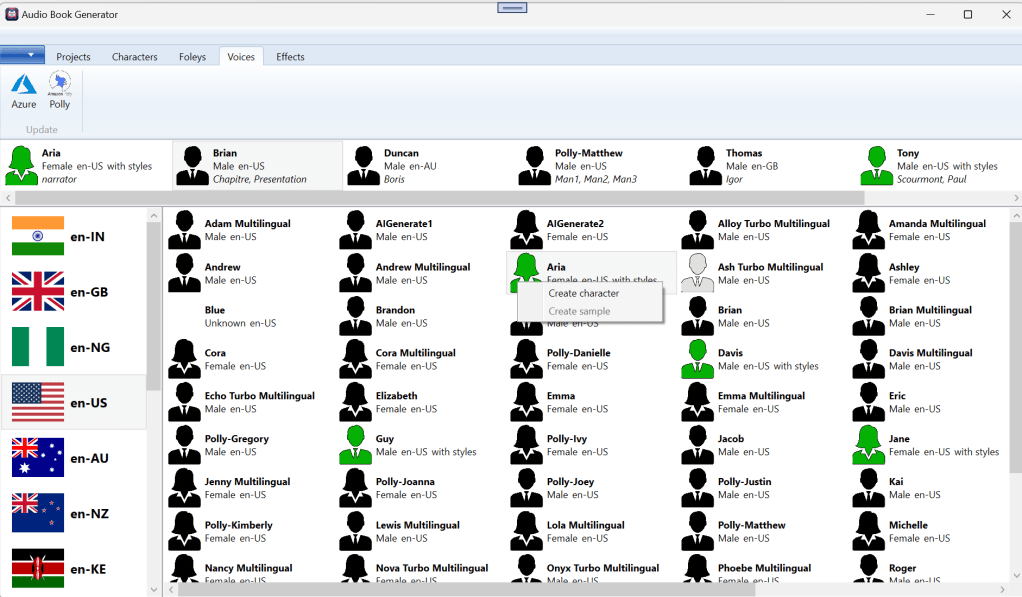
The top buttons, Azure and Polly are there to initiate an update of the voices currently available. In this example, “Ash Turbo Multilingual” was added. It is gray because it doesn’t have a sample file yet. Right-clicking on a voice will bring a context menu to create a sample, or create a new Character.
 Christian-Eric Falardeau